To get WIFI on a Raspberry PI running HASSIO.
You need to format an USB Drive when you format make sure to name it “CONFIG” all caps and no quotation marks.

Open the USB drive and make a folder called “network”

Make a file name it “system-configurations”
Enter this information and save it
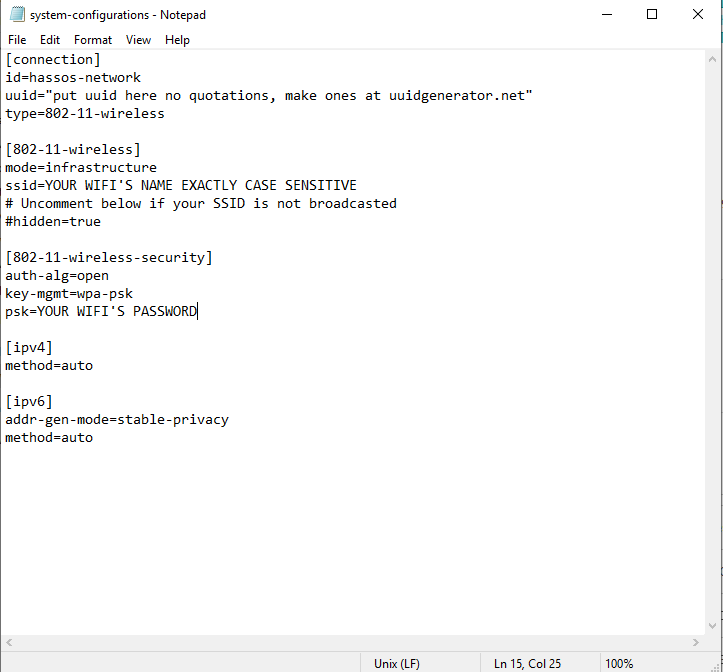
Unmount and remove the USB Drive
In Hassio go to Hass.io (where the add on store is.
Click on SYSTEM
Then under Host system click IMPORT FROM USB
Then click REBOOT
When it comes back up if your WIFI information is correct (I didn’t double check the first time) it should connect wirelessly.

 Gordons Notes